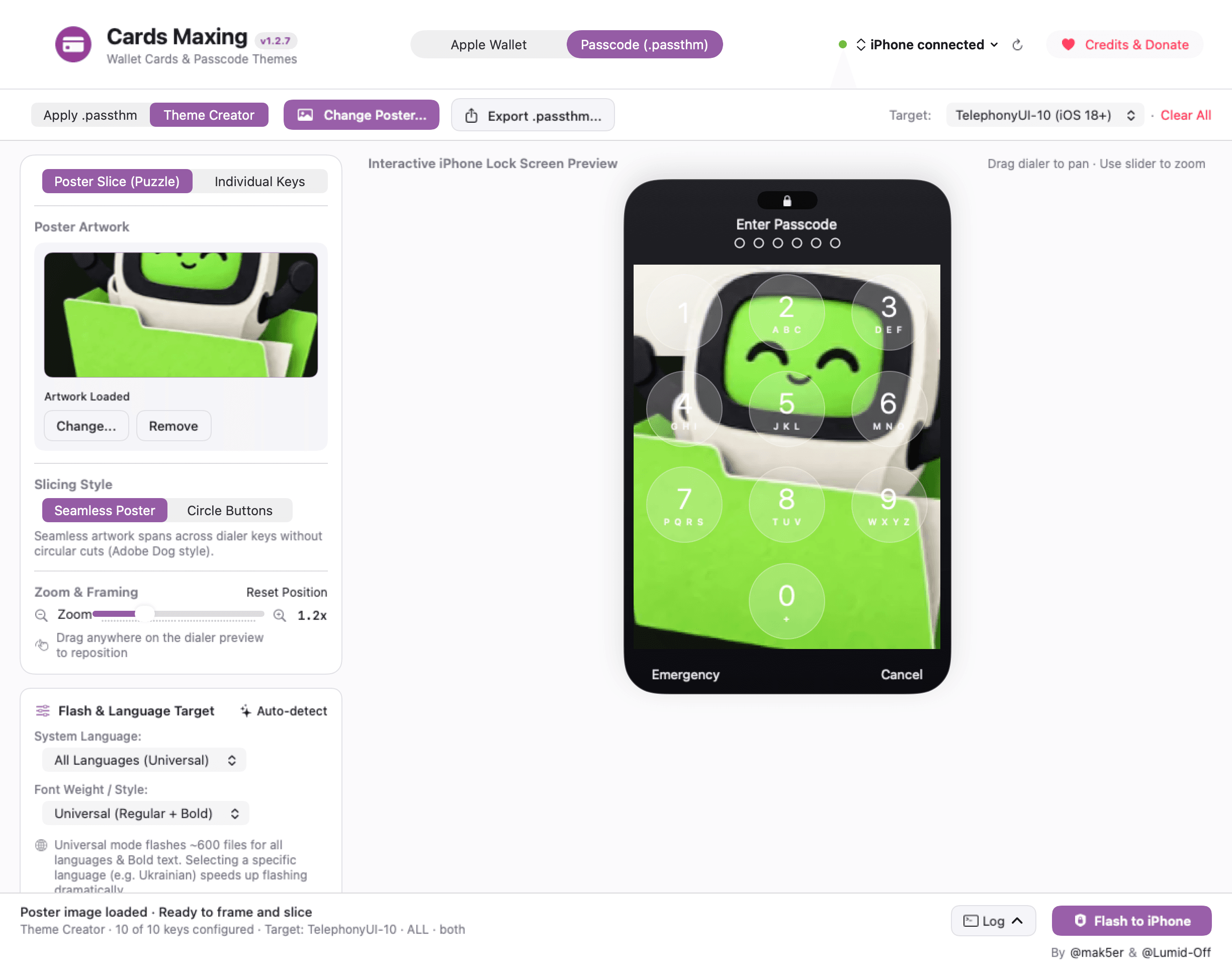
One picture. Ten keys.
Poster Slice frames one picture across the keypad. Choose seamless tiles or circular buttons, then check the edges and the bottom row.
Make each key your own.
Individual Keys lets you choose and frame separate digit images. Check all ten digits when you want a complete theme; export availability alone does not confirm completeness.
Open a .passthm theme.
Import an existing package, inspect it and edit its digit artwork in the creator. Keep the original: re-exporting rebuilds the package and may not preserve every language or font variant.
Preview here. Verify on the phone.
Creation and export can happen without an iPhone. Applying a theme requires a connected, trusted device and appropriate targets. The keypad preview is artwork preparation, not proof of phone compatibility.